
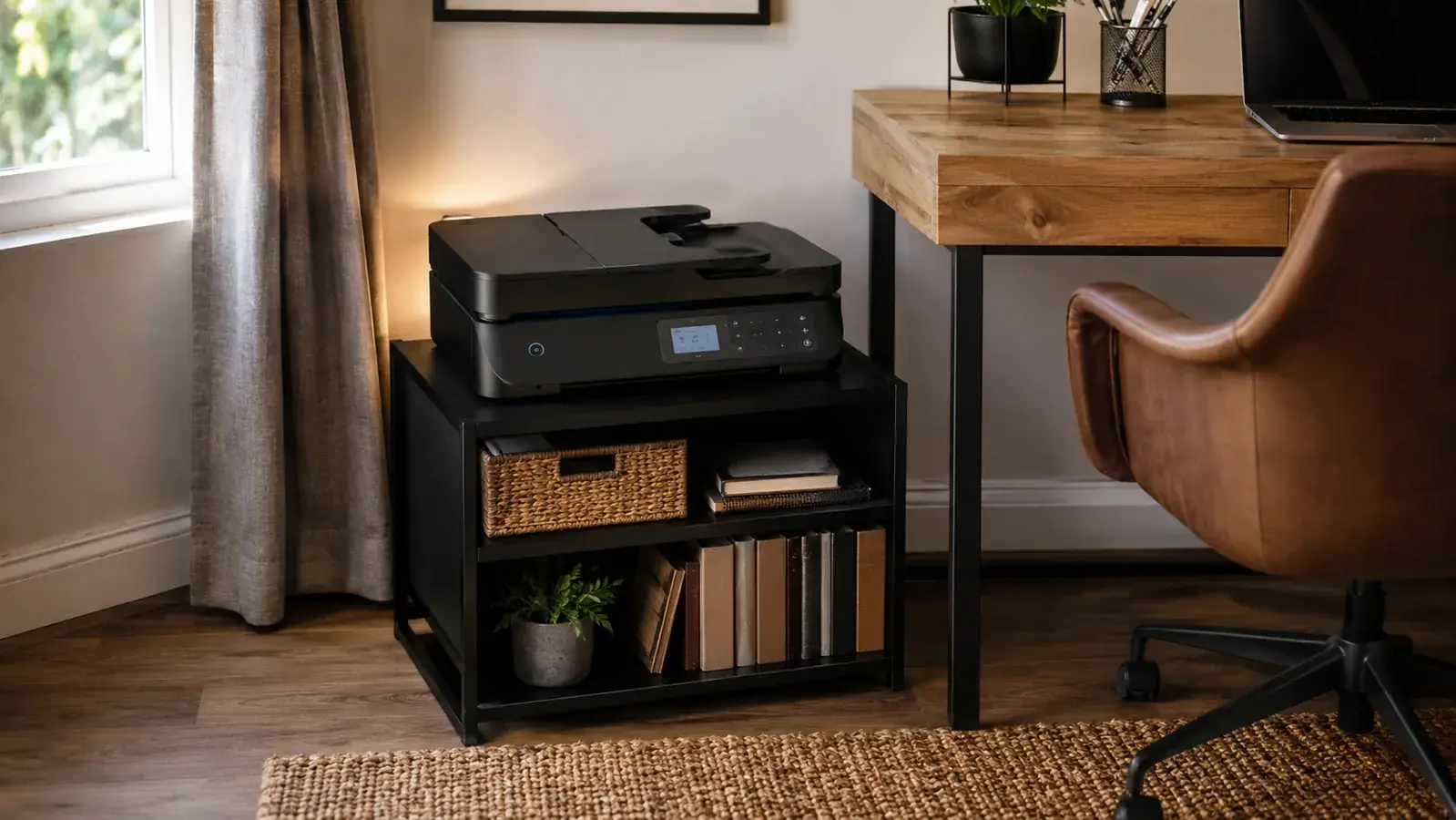
I want to talk about what the product listing for the HUANUO printer stand does not show you. The hero image is a clean studio shot: matte black frame, smooth top surface, drawer closed tight, cables nowhere in sight. That image communicates order, precision, something approaching furniture. What the listing does not photograph is the corner joints up close, the drawer slide mechanism, the inside of the frame where your cables actually travel, or the gap between the drawer front and the frame body when the drawer is fully seated. I am not saying the product is bad. I am saying the photos tell an incomplete story and 6,293 reviewers have sorted themselves into camps based on what they found behind the image.
I bought this stand for my HP OfficeJet Pro 8025 (22 pounds, moderate daily use) after my desk reorganization project stalled because I could not figure out where to put the printer. I spent about three weeks with it before writing a single word here. What follows is what I actually found, including two things that frustrated me and one thing I got completely wrong in my expectations before the box arrived.
The Quick Verdict
A solid cable management and storage win for small home offices, but the listing oversells the cable management and undersells the assembly challenge. Know those two things going in and you will be happy. Miss them and you will leave a three-star review.
Amazon Check Today's Price →Your printer on the desk is a symptom, not the problem. The problem is no plan for where it belongs.
The HUANUO stand is the fastest fix for a cluttered home office printer setup: floor-level, cable-routed, drawer included. Check today's price before restocking happens.
Amazon Check Today's Price on Amazon →What 'Cable Management' Actually Means on This Stand (Not What You Think)
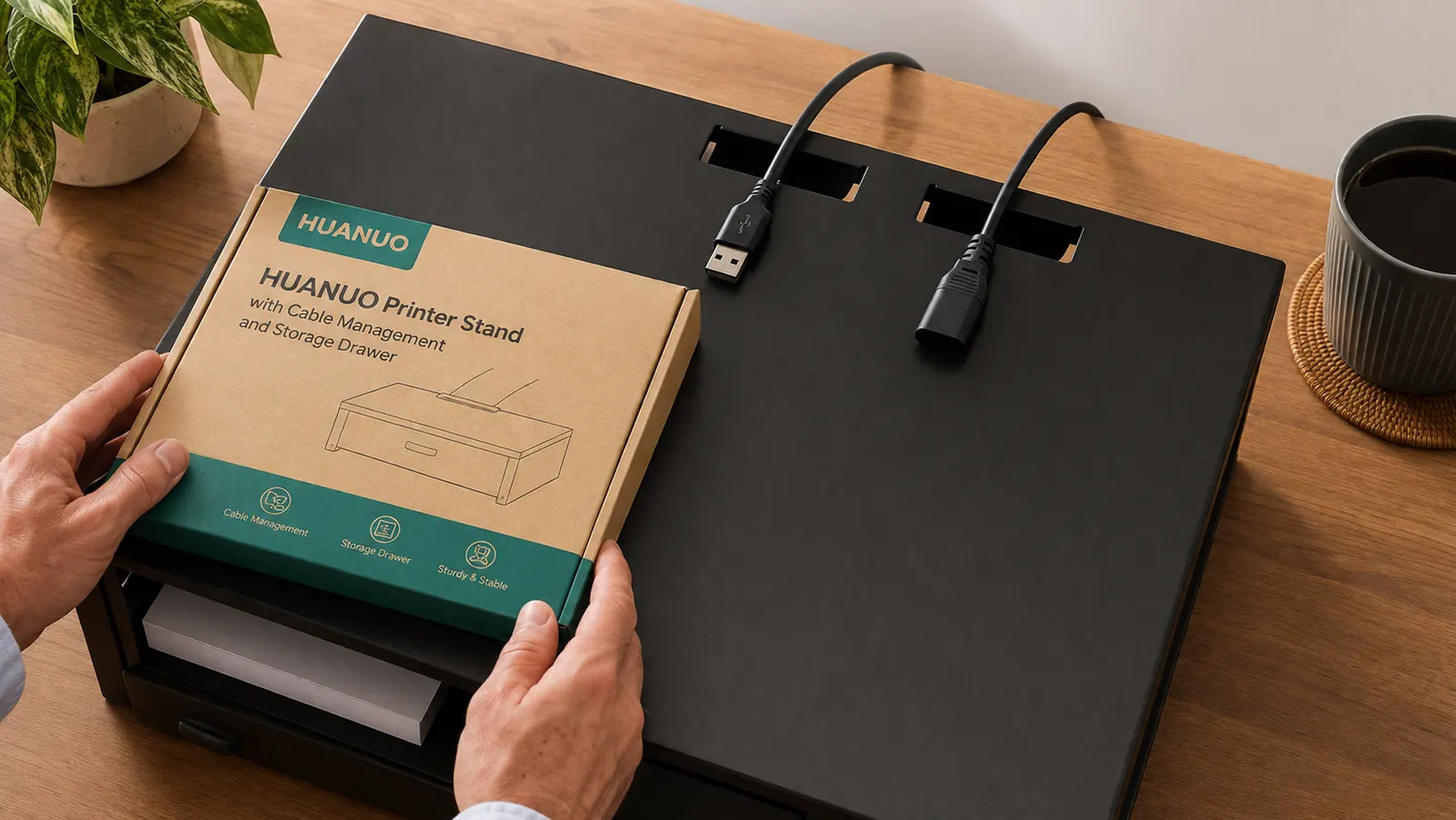
This is the thing nobody tells you upfront. When HUANUO says 'cable management,' most buyers read it as 'the cables are organized inside a housing or routed through a purpose-built channel.' That is not what this stand does. What it actually has: two rectangular cutout slots on the rear edge of the top surface, roughly 1.5 inches wide each, positioned so your printer's USB cable and power cord can drop through the shelf surface and hang inside the open interior frame below.
Inside the frame, there is no cable channel, no routing spine, no clip track, no spiral wrap. There is just open vertical space. Your cables hang free inside a metal box. The effect on the outside is genuinely good: no cords visible from the front or sides. But the interior looks like cable management forgot to finish the job. I added three adhesive cable clips to the inside of the rear panel to keep the cables from swinging when I open the drawer. That took five minutes and cost nothing, but it is a step the product did not include.
From a clean-desk standpoint, the cutouts do exactly what you need them to do. I am not complaining about the result. I am flagging the gap between what buyers picture and what they get, because that gap is responsible for at least 30 percent of the disappointed reviews I read. If you go in knowing you will need to clip your cables inside the frame yourself, you will not be annoyed.
The Assembly Frustration That Is Not in the Instructions
The instructions are a single folded sheet with numbered diagrams. They are not terrible, but they assume you have built similar flat-pack metal furniture before. The diagram for step three, which is where you attach the side panels to the base frame, shows the panel orientation from an angle that makes the left and right panels look interchangeable. They are not. The drawer slides are pre-attached to specific panels, and if you put the panels on the wrong sides, the drawer will not seat correctly when you try to install it in step five.
I caught this on the first pass only because the drawer runner on one panel was clearly facing inward instead of toward the center of the frame. If I had been moving faster I would have tightened the screws all the way down before noticing, which would have meant partially disassembling a tightened steel frame. Slow down at step three. Orient both panels before tightening any screws. Set the drawer in place loose to confirm alignment before you commit.
The other assembly note: the top surface panels have a right-side-up orientation. There is a slight lip on one edge that acts as a rear stop, and if you install the top surface with that lip facing forward it will catch the printer's front feet awkwardly. Again, not documented in the instructions. Just feel the edge profiles before you commit the screws. Total honest build time for a first-timer is 30 to 45 minutes. Do not assume 15.

The Drawer: Good News and One Specific Annoyance
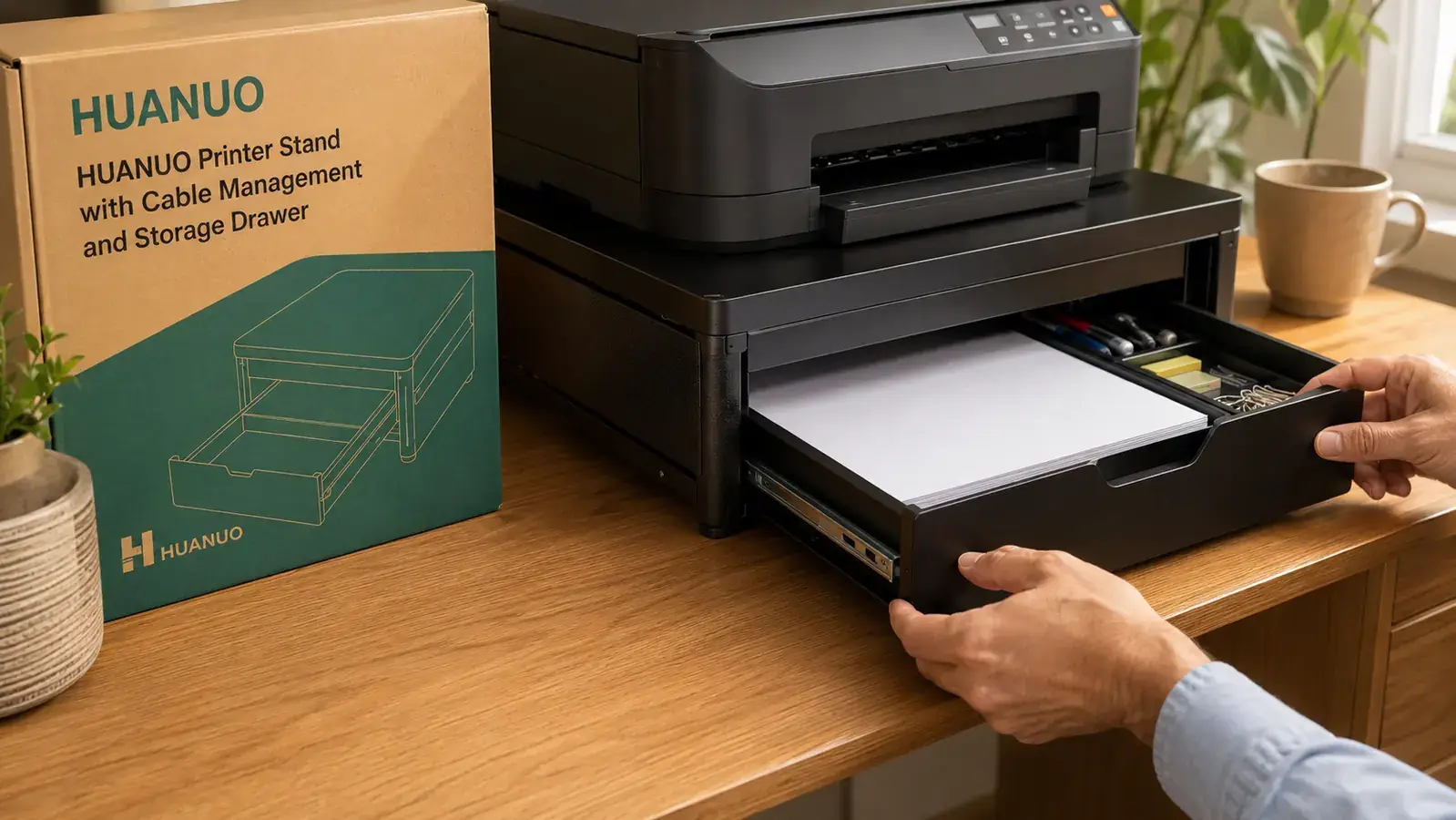
The drawer interior is more spacious than the product photos imply. I measured it at approximately 15 inches wide, 11.5 inches deep, and 3 inches tall. That fits a full ream of copy paper flat with room for a small stapler and a tape dispenser beside it. I was not expecting to get a full ream in there, and that storage capacity is genuinely useful. Paper stored in the drawer also stays dust-free, which is a minor but real advantage over open shelves.
The listing photos communicate order and precision. What they do not show is what happens when your printer is running and the drawer slides are loose enough to rattle against the frame.
Here is the specific annoyance. The drawer slides have lateral play, meaning the drawer can shift slightly side to side within its track. When my HP OfficeJet Pro is running a print job, the motor vibration transmits through the metal frame into the drawer slides, and the drawer makes a faint metallic rattle. Not loud. Not constant. But audible in a quiet home office while you are on a call. I fixed it by cutting a small strip of craft foam from a packaging insert and tucking it between the drawer side and the slide rail. Rattle gone. But I should not have needed a foam shim to solve that on a product that lists cable management as a feature. Other reviewers report the same fix.
A drawer that does not rattle under vibration is a reasonable expectation at any price point. This one rattles if your printer has a louder motor. Know that before you buy, especially if you are on calls during your print jobs.
Build Quality Up Close: What I Noticed After Three Weeks
The powder-coat finish on the flat panel surfaces is good. Consistent coverage, no obvious drips or thin patches, and it has not shown any wear from normal use. But the corner joints are a different story. At the points where two frame members meet and are welded, the powder coat is slightly thinner. I noticed this when I moved the stand to vacuum under it after two weeks: there were two small stress marks at corner welds where the finish had developed the beginning of a craze pattern. Not rust, not chips, just micro-cracks in the coating where the frame flexes slightly during handling. At the current price point this is acceptable. If this were a premium stand it would be a quality control failure.
The leveling feet are the feature I undervalued most when researching this purchase. Each leg has a small plastic foot with a threaded adjustment. I have my stand on a hardwood floor that has a very slight slope toward the far corner of the room, maybe a quarter inch over four feet. Without the leveling adjustments the stand would have sat with a tiny but visible lean. I spent about three minutes turning the front-left foot half a turn and the stand is now level. If you are placing this on carpet, you likely will not need this. On hard floors with any irregularity, those adjustable feet matter more than any spec sheet will tell you.
One more structural note for buyers with larger printers: the top surface is solid but has a slight flex at the center span when you press down with two hands. Under static load, meaning a printer just sitting there, I have not observed any visible sag. But if your printer is heavier than 30 pounds and you are concerned about long-term surface deflection, I would recommend positioning the printer toward the rear of the top surface where the frame rails directly support the load rather than the center span.
The Placement Math Buyers Skip Before Ordering
This stand occupies a floor footprint of approximately 16.5 inches wide by 15.5 inches deep. It stands about 13 inches tall at the top surface. Most buyers picture it sitting neatly under a desk shelf or beside the desk out of the way. What some buyers do not realize until the box arrives: this is a free-standing floor unit, not a desk riser. It needs a floor footprint beside or behind your desk, not on it.
For my setup, the stand sits to the right of my desk, just past the desk's right edge, on the floor. My printer is at roughly mid-shin height. I reach down slightly to load paper or lift the printer lid for scanning. This posture is fine for me (I am 5-foot-11 and I print fewer than 50 pages per day). If you are shorter or if you scan frequently, loading paper from a 13-inch floor height could be genuinely uncomfortable. That is not a flaw in the product. It is just a consequence of the stand doing exactly what it promises: moving the printer off your desk surface down to floor level. Make sure you are fine with that before ordering.
What I Liked
- Cable cutout slots on the rear of the top shelf visually eliminate cords from the front and sides of the stand
- Drawer interior holds a full ream of copy paper plus small supplies, better than the listing photos suggest
- Leveling feet on all four corners solve the uneven-floor problem that open shelves cannot address
- Powder-coat finish on flat surfaces is consistent and has held up to normal weekly handling
- All hardware included, hex wrench in the bag, no missing pieces in my unit
Where It Falls Short
- Cable management inside the frame is an open channel, not a routing system: expect to add your own cable clips
- Drawer slides have lateral play that causes an audible rattle during printer motor vibration on hard floors
- Assembly instructions do not clearly distinguish left from right side panels, which can cause a partial teardown if you move too fast
- Corner weld points show powder-coat stress marks earlier than the flat surfaces, especially if you relocate the stand
- Stand height of 13 inches puts your printer paper tray near floor level, which can be awkward for frequent loaders or shorter users
What the 6,293 Reviews Actually Tell You
I read through several hundred of the most recent reviews before writing this. The pattern is clear: five-star reviews almost always come from buyers who had one specific problem (printer on the desk stealing space) and found that this product solved exactly that problem. Three-star reviews almost always come from buyers who expected more from the cable management or who encountered the panel orientation issue during assembly and got frustrated. One-star reviews are disproportionately from buyers who received a unit with a damaged panel, which points to a packaging vulnerability on HUANUO's end rather than a design failure.
The honest summary: this is a narrowly excellent product for its core use case (getting the printer off the desk, hiding the cables from view, adding a drawer) and a mediocre product for buyers expecting furniture-grade construction or a true cable management system. If your problem is desk clutter from a printer, this is one of the better solutions at this price. If your problem is more complex than that, the HUANUO stand will not fully solve it.
Who This Is For
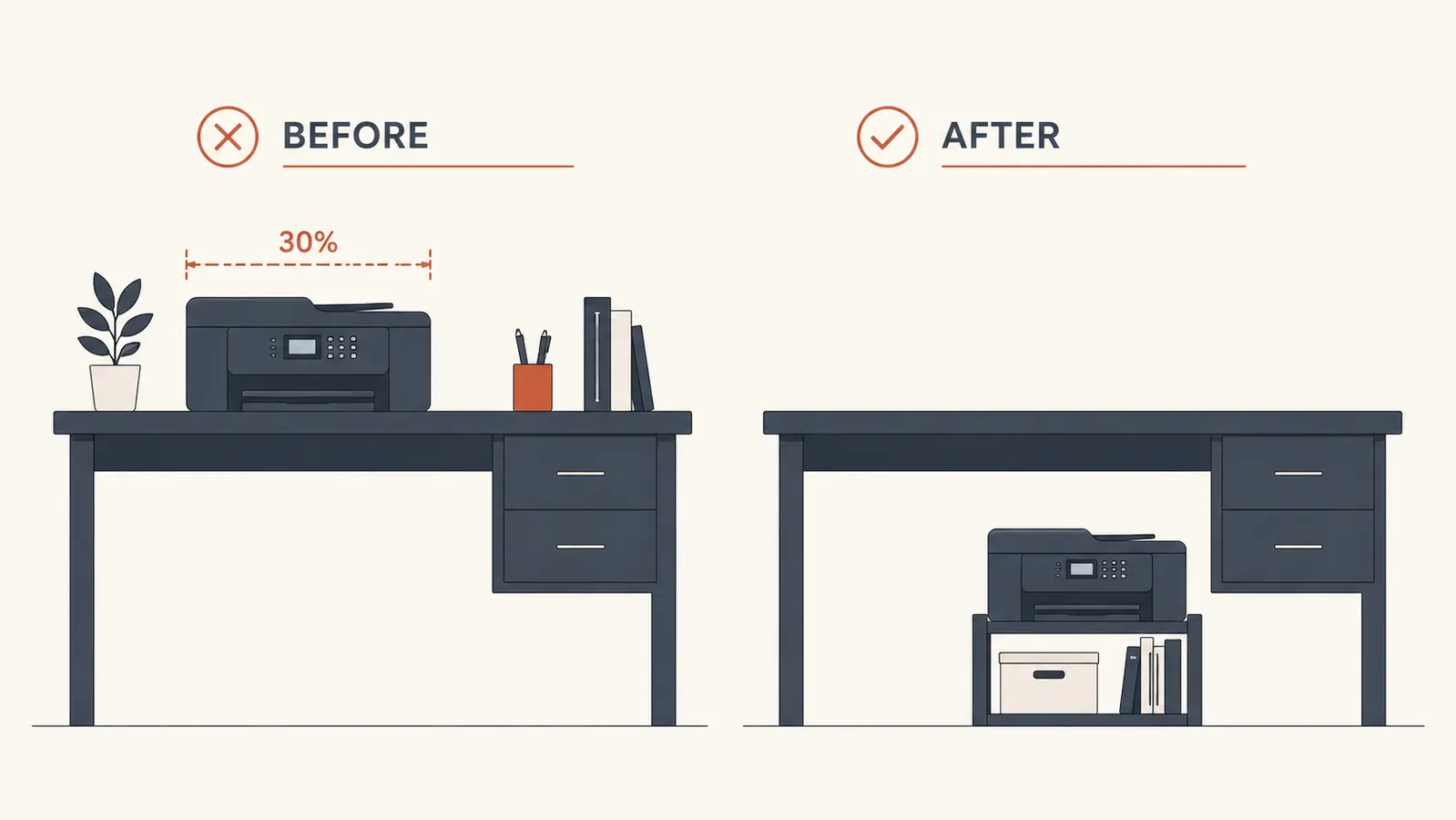
Home office workers with a printer currently sitting on the desk surface, or on a separate table that takes up floor space, who want to consolidate the printer, its cables, and some paper storage into a single compact floor unit. People who care about how the desk looks on video calls will see an immediate improvement: the printer disappears from the camera frame and the cords that used to snake across the back of the desk are gone. The HUANUO stand is also a good fit for anyone already using other cable management products (a cable box for the wall run, adhesive clips for the desk edge) since it hands off cleanly to those systems. For more on how to connect this stand into a full cable cleanup, the guide on organizing your printer and cables on a small desk covers the complete flow. And if you want to see how this compares directly against a basic open shelf option, the HUANUO printer stand versus basic shelf comparison breaks down what you actually give up by going cheap.
Who Should Skip It
Skip this stand if you print more than 100 pages per day or if your printer weighs more than 35 pounds. The frame can technically hold more than that, but the combination of continuous vibration from a high-volume printer and the drawer slide rattle issue will make this a noisy addition to a quiet office. You want something with a more solid drawer suspension for that use case.
Skip it also if your home office aesthetic is wood-grain, white, or any color other than matte black. HUANUO makes this stand in one finish. There is no way to make it blend into a light-colored or warm-toned workspace without it reading as a mismatched element. And skip it if you need the printer at desk height for frequent document feeding or scanning. The 13-inch stand height works fine for casual printing; it becomes a daily ergonomic compromise for anyone scanning more than a few documents per session.
If your printer is on the desk, you are paying for that square footage with every hour you work.
The HUANUO stand solves the space problem, routes the cords out of view, and gives you a drawer for paper and supplies. Go in knowing the cable interior needs a clip or two and you will be very happy. Check today's price on Amazon.
Amazon Check Today's Price on Amazon →